

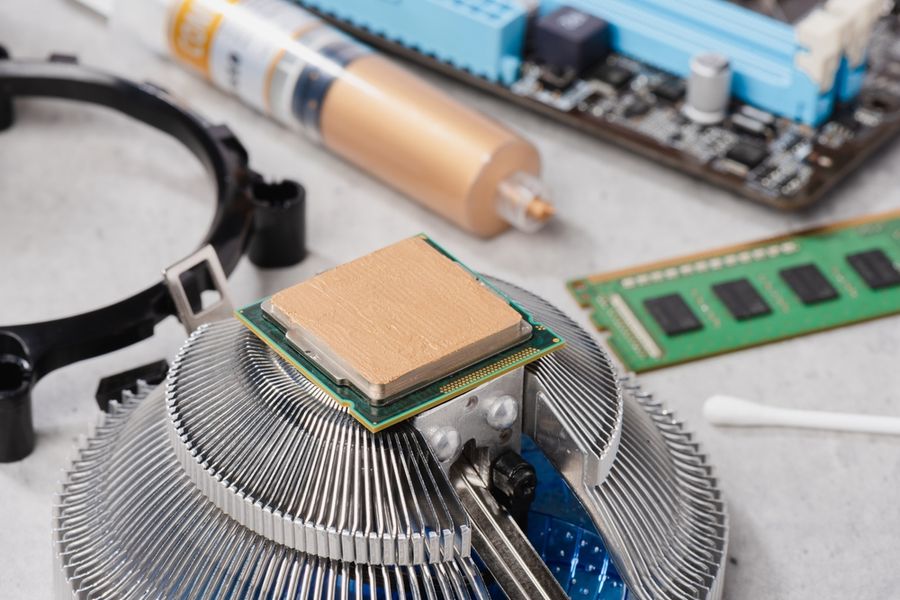
Computer hardware forms the physical foundation that allows digital systems to operate efficiently. Every task performed on a computer relies on coordinated interaction between internal components. Processing speed, multitasking ability, graphics performance, and data access all depend on hardware design. Gaining a basic understanding of core hardware components helps clarify how computers handle everyday activities, why performance varies between systems, and how different parts work together to support modern computing needs.
Understanding Computer Hardware Components
Computer hardware refers to the physical parts that make up a computing system. Such components include processing units, memory modules, storage devices, and supporting circuitry. Hardware works alongside software to execute instructions and manage data. Each component plays a specific role within the system.
Hardware components communicate through electrical signals and data pathways. Performance depends on how efficiently components exchange information. Balanced hardware configurations support smoother operation and responsiveness. Understanding component roles helps explain system capabilities and limitations.
The Central Processing Unit and Its Role
The central processing unit, often called the CPU, functions as the primary decision-making component within a computer. It executes instructions, performs calculations, and manages data flow between other hardware parts. Every action, from opening applications to processing input, involves CPU activity. Speed and efficiency influence overall system responsiveness.
CPUs contain multiple cores that allow parallel processing. More cores enable better multitasking and improved performance during demanding workloads. Clock speed determines how quickly instructions are processed. CPU performance affects computing speed, power consumption, and system efficiency.
Random Access Memory and Multitasking Performance
Random access memory, commonly known as RAM, stores temporary data needed for active tasks . Applications load information into RAM for quick access while running. Greater RAM capacity allows more programs to operate simultaneously without slowing performance. RAM clears stored data when power is removed.
Insufficient RAM may cause delays or reduced responsiveness. Systems may rely on slower storage when RAM capacity is exceeded. Adequate memory supports smoother multitasking and improved efficiency. RAM plays a critical role in maintaining consistent performance during everyday use.
Graphics Processing Units and Visual Output
Graphics processing units, or GPUs, handle visual rendering and image processing tasks . GPUs manage graphical output for displays, video playback, and interactive applications. Complex graphics calculations are processed separately from the CPU. Dedicated GPUs improve performance for visually intensive tasks.
GPUs excel at parallel processing, making them effective for rendering images and animations. Integrated graphics share system resources, while dedicated GPUs offer greater power. Visual quality, frame rates, and responsiveness depend on GPU capability. Graphics hardware supports both entertainment and professional applications.
Storage Devices and Data Access
Storage devices retain data permanently, even when power is removed. Operating systems, applications, and files reside on storage hardware. Traditional hard drives use spinning disks, while solid-state drives rely on flash memory. Storage type affects data access speed and system responsiveness.
Faster storage reduces loading times and improves performance. Solid-state drives offer quicker access and greater durability. Storage capacity determines how much data can be retained. Storage hardware balances speed, capacity, and reliability within a system.
How Hardware Components Work Together
Computer hardware operates as an interconnected system rather than isolated parts. The CPU processes instructions while RAM supplies quick-access data. Storage devices provide long-term data retention. GPUs handle visual tasks that complement CPU operations.
Communication pathways connect components through buses and controllers. Balanced configurations prevent bottlenecks and inefficiencies. Upgrading one component may improve performance only if other components support it. Hardware harmony supports stable and efficient system operation.
Factors That Influence Hardware Performance
Several factors influence overall hardware performance. Component quality, compatibility, and configuration affect speed and reliability. Cooling systems regulate temperature to prevent performance reduction. Power supply stability supports consistent operation.
Usage patterns also affect performance needs. Basic tasks require fewer resources than advanced workloads. Hardware selection often reflects intended use. Understanding performance factors helps clarify why systems vary in capability and responsiveness.
Common Hardware Configurations
Hardware configurations vary based on purpose and budget. Entry-level systems support basic computing tasks. Mid-range systems balance performance and affordability. High-performance systems prioritize speed and advanced capabilities.
Laptops and desktops differ in hardware design due to size and power constraints. Portable systems emphasize efficiency and compactness. Desktop systems offer greater upgrade flexibility. Configuration choices reflect user priorities and intended workloads.
Building Awareness of Computer Hardware Basics
Understanding core hardware components clarifies how computers perform everyday tasks. CPU, RAM, GPU, and storage each serve distinct yet interconnected roles. Hardware balance supports efficiency, responsiveness, and reliability. Familiarity with basic hardware concepts helps users make informed decisions and better understand system performance across different computing environments.